
| Week of December 13, 2009 |
    |
 |
 |
A Smooth Sherlock |
 See if you have what it takes to become a super sleuth at PBS' History Detective Kids, http://pbskids.org/history See if you have what it takes to become a super sleuth at PBS' History Detective Kids, http://pbskids.org/historydetectives. This site invites talented young minds to test their history knowledge by unearthing clues and solving mysteries. Feeling brave? Open the Vault lets you peek at the cool historical artifacts discovered by other clever investigators. Once you are ready to solve some mysteries of your own, check out your detective kit with items such as a camera, magnifying glass, tape measure and more. What are you waiting for? |
| Nominate a cool Web site at: 4Kids.org/nominations |
|
|
Something Celestial |
|
|
|
|
A Reality Show With Antlers |
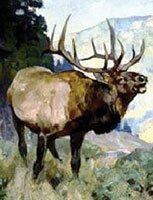 Step into the shoes, or should we say hooves, of the wild and wonderful elk at the National Museum of Wildlife Art, My Life as an Elk, www.wildlifeart.org/Learn/ Step into the shoes, or should we say hooves, of the wild and wonderful elk at the National Museum of Wildlife Art, My Life as an Elk, www.wildlifeart.org/Learn/Games/ElkStory. First choose your gender and then decide on a name. Bam! You have turned into a young elk! Next you will live through an entire year, experiencing all the challenges nature has to offer a creature such as yourself. From your very first day on Earth to the beginning of your adult life, this story will give you a new appreciation for the strength of the elk. |
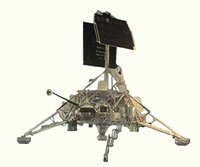 Apollo Moon Landings, From Lab to the Moon,
 |
If you could visit any planet, which one would you choose and why? |

|
Dear Amy: Why don't DVDs and CDs play well when they're scratched? — Paul, St. Paul, Minn. —Amy |
 |
Copyright © 1995 - 2009, 4Kids.org at The University of Kansas. Distributed by Universal Uclick. |