|
|
Week of February 24, 2008 |
 |
|
|
Honor great women when you visit Women of Our Time at www.npg.si.edu/cexh/ Nominate a cool Web site at https://4Kids.org/nominations/ |
|
|||||||||
|
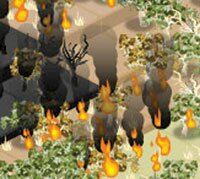
Practice your super hero skills when you play Stop Disasters, a wickedly fun simulation game at www.stopdisastersgame |
||||||||||
|
A Walk in the Woods at www.urbanext.uiuc.edu/woods, will lead you down a path of learning as you enjoy all the beauty the forest has to offer. Look closely at the small but special wonders in the woods. You might learn something new, such as how moss grows on a seemingly dead tree. The coolest part about nature walks is that they are never the same twice. Weather alters the vegetation, so the forest changes every day. Brush up on what you need to know about nature walks in Getting Ready. Good shoes and a map are required. |
||||||||||
 Fab Females


 Disaster Destroyer
 Embracing Nature
|
||||||||||
Copyright ©2008 4Kids.org All rights reserved. Distributed by Universal Press Syndicate |
||||||||||